

1 Before you start
This is not graded, and it does not count towards anything. Answer every question even if you are only guessing — having a go at something before you have been taught it is one of the best ways to remember it afterwards. The lesson ends with another short check, and there you will be shown the correct answer for anything you missed. Choose an option for every question and confidence rating, then click Submit answers.
What does type(10 / 4) return in Python 3?
What does int("banana") do in Python?
In Python 3, what do 10 / 4 and 10 // 4 evaluate to?
What does 17 % 5 evaluate to in Python?
What does 2 ** 3 + 1 evaluate to in Python?
Which line correctly checks whether patient_age equals 18?
If age is 20 and consent is False, what does age >= 18 and consent evaluate to?
Which line follows Python's standard naming convention for variables?
I can explain to a peer the difference between an int and a float in Python.
I can explain to a peer why = and == do different things in Python, and when to use each.
I can choose between `and`, `or`, and `not` to combine two true-or-false conditions in an if statement.
2 Introduction
Welcome to your first step in Python programming! In this module, where we will cover two building blocks: how Python stores values, and how it combines them.
- Variables and data types — the names you give to values, and the four basic kinds of value (
int,float,str,bool) you will see again and again. - Basic operators — the symbols that combine values: arithmetic like
+and*, comparisons like==and<, and the wordsand,or,notfor combining true-or-false answers.
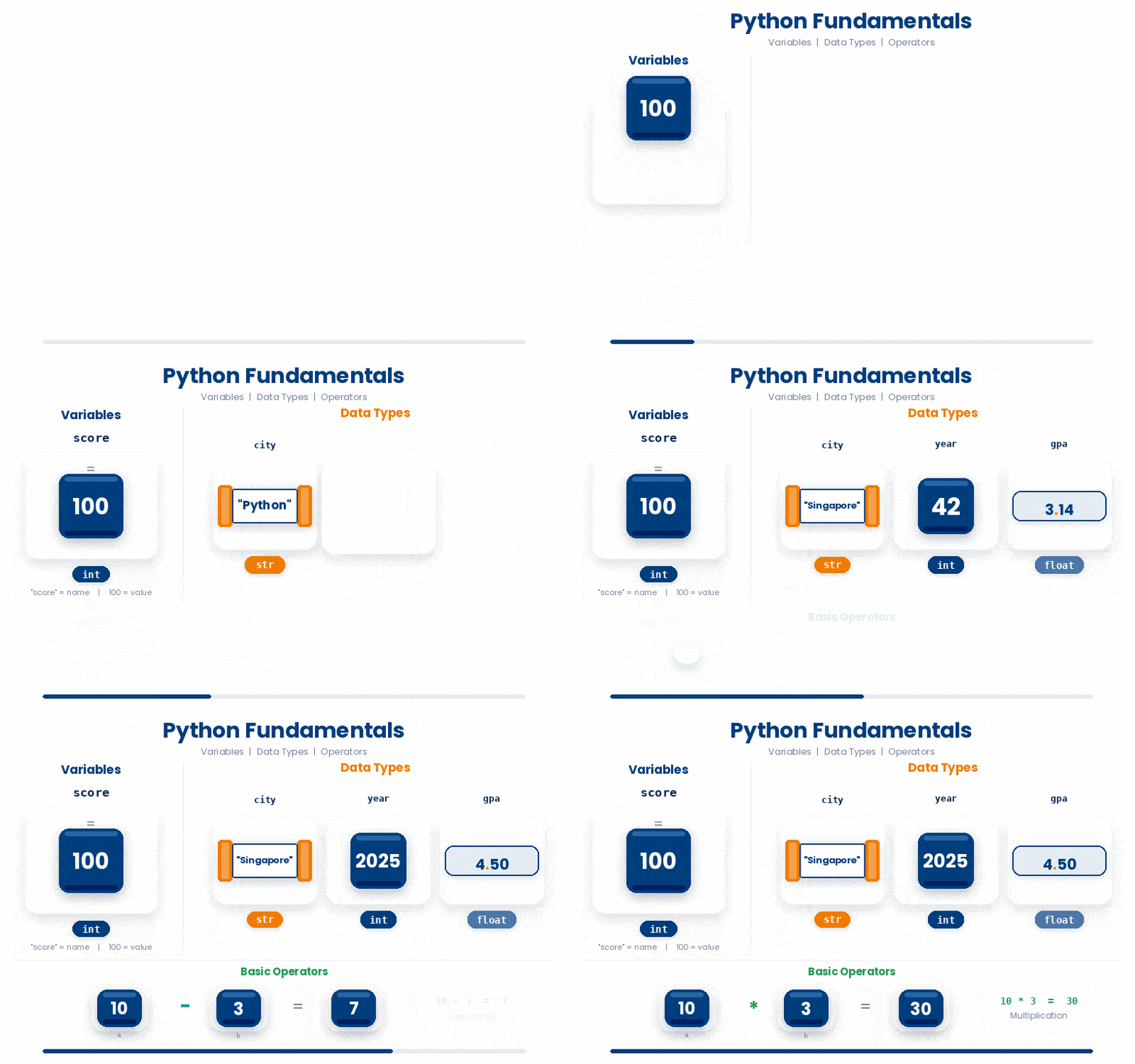
Try every snippet in the Python Scratchpad on the right. By the end of the module you will be able to read a short Python expression, predict what it will print, and explain why.
3 Variables and Data Types
A variable in Python is just a name that points to a value. You make one with a single equals (=) sign: the name on the left, the value on the right.
patient_id = "P-00142"
heart_rate = 88
Python figures out the type of value for you, so you do not have to say up front whether it is a number, some text, or true-or-false.
In this bridging course you will work with four basic kinds of value all the time:
- Integers,
int— whole numbers like42,-7, or1000000. - Floating numbers,
float— decimal numbers like0.05,3.14, or5e-8. - Strings,
str— text wrapped in single or double quotes:"rs429358",'APOE-e4'. The two quote styles behave the same; pick one and stay consistent. - Boolean,
bool— exactly two values,TrueandFalse. Note that both of them are case-sensitive
You can ask Python which type it gave you with the built-in type() function, and you can convert between types with int(), float(), str(), and bool(). Conversions that do not make sense — like int("banana") — raise an error rather than guessing.
print(type(67.8))
print(type("Hello world!"))Try this snippet in the Python Scratchpad on the right.
glucose_reading = 7.8
print(int(glucose_reading))
print(round(glucose_reading))
print(int(-2.9))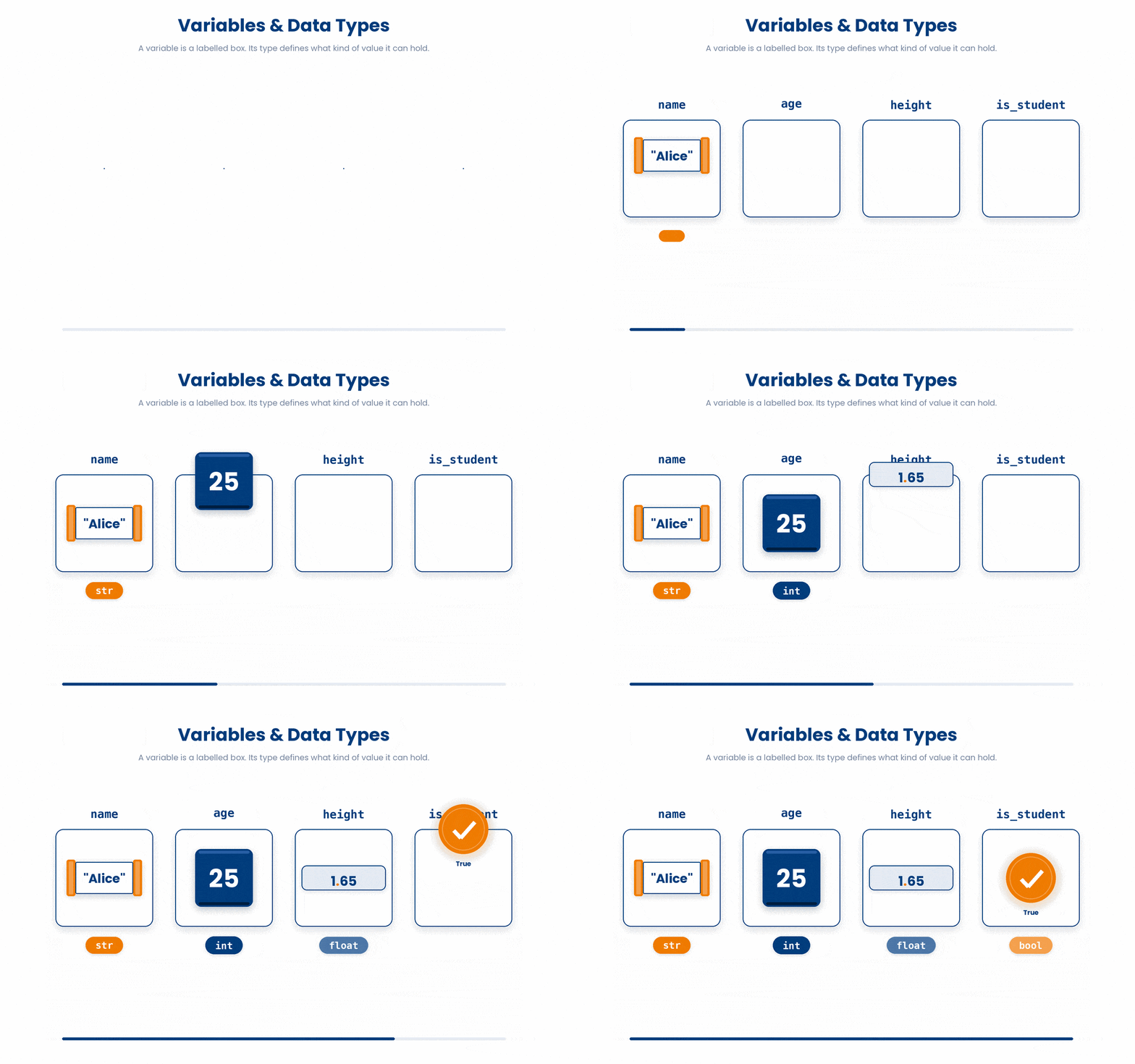
Try and practise with the following exercise on the Python Scratchpad on the right:
Try this snippet in the Python Scratchpad on the right.
rsid = "rs429358"
p_value = 4.2e-8
is_significant = p_value < 5e-8
samples = 1247
print(type(rsid))
print(type(p_value))
print(type(is_significant))
print(type(samples))Naming follows a few simple rules.
- Names use lowercase letters, digits, and underscores.
- Names must start with a letter or underscore.
- Names cannot be a Python reserved word like
class,def, orreturn. - Naming convention is
snake_casefor variables and functions:patient_age,p_value_threshold— notpatientAgeorPatientAge. - Choose names that describe the value, not the type.
4 Basic Operators and Expressions
An expression is anything Python can evaluate to a value e.g. 2 + 2, p_value < 0.05, name + " " + surname.
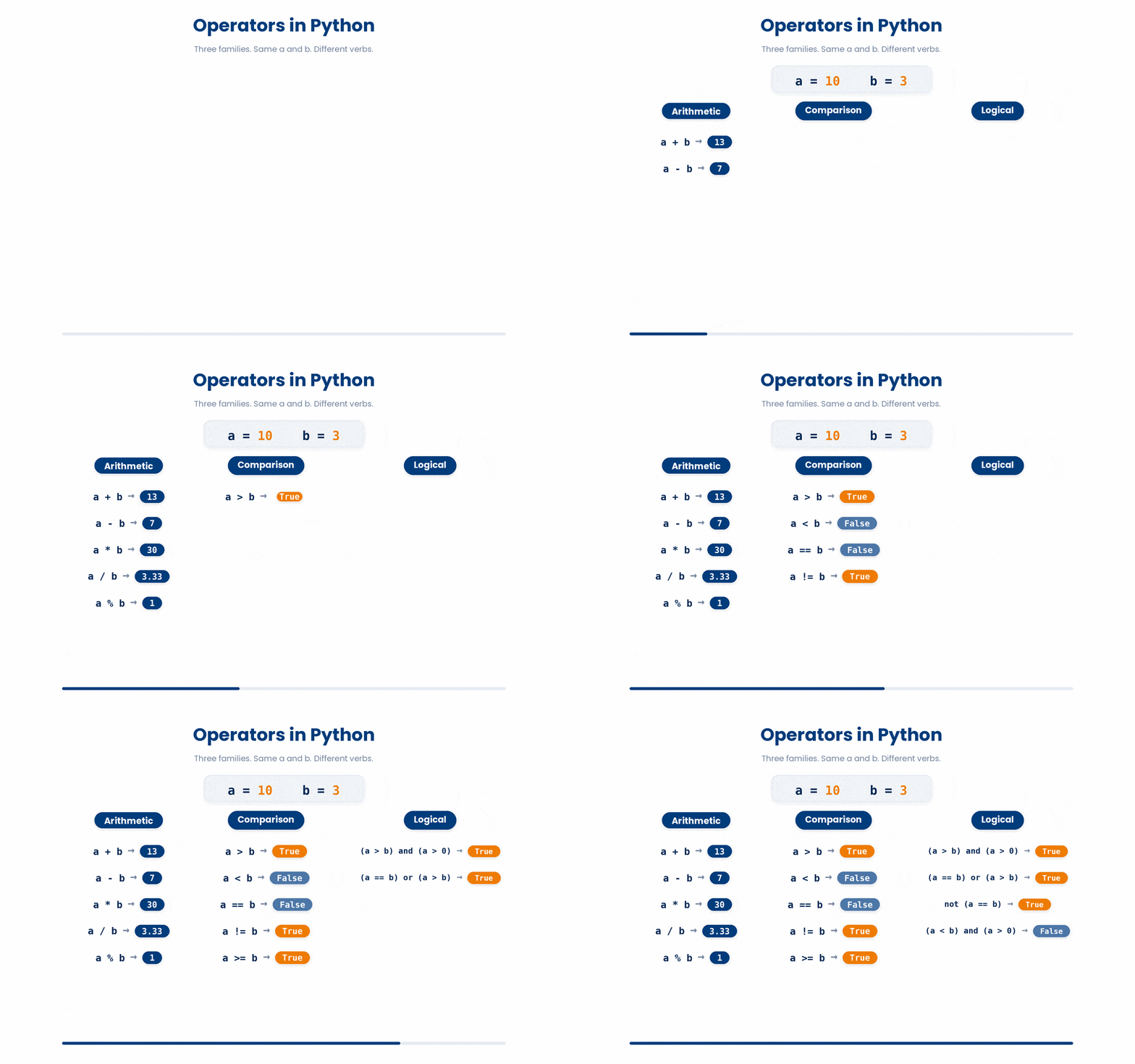
An operator is a symbol that combine values into expressions. They fall into three families — arithmetic, comparison, and logical.
4.1 Arithmetic operators
You can also do arithmetic using Python with the following symbols:
+-*/— addition, subtraction, multiplication, division (division always returns a float)//— floor division: divide and round down, returning anint%— modulo: the remainder after floor division.**— exponentiation:2 ** 10is1024.
Can you predict the output below?
Read the code carefully and type what you think it will print. Click Submit prediction for AI tutor feedback comparing your prediction against the real output, then click Reveal actual output to run the snippet yourself and see what happens.
print(9 / 2)
print(9 // 2)
print(9 % 2)
print(3 ** 2)Now, for you to try and code some basic operators and expressions.
Try this snippet in the Python Scratchpad on the right.
print(7 + 3)
print(7 - 3)
print(7 * 3)
print(7 / 3)
print(7 // 3)
print(7 % 3)
print(2 ** 10)4.2 Comparison and logical operators
Comparison operators return a bool (boolean i.e. True or False).
The two that catch people out are == (equality, two equals signs) and != (not equal). A single = is assignment, never comparison — confusing the two is one of the most common errors a beginner makes, so go slowly here.
Logical operators combine booleans:
and—Trueonly if both sides areTrueor—Trueif either side isTruenot— flipsTruetoFalseand vice versa
Python uses the words and, or, not. Combined with comparisons, they let you write filters that read almost like English: if age >= 18 and consent_given:
age = 17
consent_given = True
if age >= 18 and consent_given:
 print("Patient is eligible for the trial.")
else:
 print("Patient does not meet eligibility criteria.")
Let’s make sure you understand the code logic first.
All the lines you need are in the Line bank on the left — some may be distractors you should leave behind. Drag the lines you need into the Your solution column on the right, in the correct order, then click Check.
Task: Given a patient's age and consent status, print a message only if they are NOT eligible to enrol. The patient is only eligible if their age is 18 or above and has given consent.
if is_eligible = False:is_eligible = age = 18 and consent_givenprint("cannot enrol")age = 17consent_given = Trueis_eligible = age >= 18 and consent_givenif not is_eligible:is_eligible = age >= 18 or consent_given
- Drop lines here, in order.
Now, practise writing the code below:
Try this snippet in the Python Scratchpad on the right.
p_value = 0.03
effect_size = 0.42
is_publishable = (p_value < 0.05) and (abs(effect_size) > 0.2)
print(is_publishable)4.3 Operator precedence
When an expression mixes operators, Python applies them in a specific order: ** first, then * / // %, then + -, then comparisons, then not, then and, then or.
When in doubt, use parentheses i.e. ( )— they make your intent obvious to the next person who reads the code, including future you.


Try to see if can get the right answer!
Read the code carefully and type what you think it will print. Click Submit prediction for AI tutor feedback comparing your prediction against the real output, then click Reveal actual output to run the snippet yourself and see what happens.
print(2 + 3 * 4)
print(2 ** 3 * 2)
print(2 + 3 > 4 and 5)5 Check your understanding
You have reached the end of the module. Try the same questions again — your answers here, paired with your pre-test answers, are how we measure what the module taught you. Answer every question and confidence rating, then click Submit and see results to view your score.
What does type(10 / 4) return in Python 3?
What does int("banana") do in Python?
In Python 3, what do 10 / 4 and 10 // 4 evaluate to?
What does 17 % 5 evaluate to in Python?
What does 2 ** 3 + 1 evaluate to in Python?
Which line correctly checks whether patient_age equals 18?
If age is 20 and consent is False, what does age >= 18 and consent evaluate to?
Which line follows Python's standard naming convention for variables?
I can explain to a peer the difference between an int and a float in Python.
I can explain to a peer why = and == do different things in Python, and when to use each.
I can choose between `and`, `or`, and `not` to combine two true-or-false conditions in an if statement.
6 Your results
Here is how your post-test answers compare with your pre-test answers. The pre/post pairing is the most reliable way to see what this module actually taught you.
Submit the post-test to see your results.
What is the one thing from this module that is still unclear to you?