

1 Before you start
This is not graded, and it does not count towards anything. Answer every question even if you are only guessing — having a go at something before you have been taught it is one of the best ways to remember it afterwards. The lesson ends with another short check, and there you will be shown the correct answer for anything you missed. Choose an option for every question and confidence rating, then click Submit answers.
What ends each branch of a case statement?
What does the special variable $? hold?
By convention, what exit code means success?
What does cmd1 && cmd2 do?
Which line is the catchall (default) branch of a case statement?
What does cmd1 || cmd2 do?
Which keyword ends a case statement?
In a case statement, which pattern matches any value ending in .csv?
I can write a case statement instead of a long if/elif chain.
I can read the exit code of the previous command and react to it.
I can use && and || to chain commands based on success or failure.
2 Introduction
As your scripts grow, you will often need them to make decisions and react to different situations. To do this elegantly, you need tools in your toolbelt. In this lesson, we will uncover the following:
- case ... esac for clean multi-way branching.
- Every command has an exit code (0 = success, anything else = failure).
- Reading the exit code with $?.
- Shortcut operators && (run only on success) and || (run only on failure).
3 case - When You Branch on One Value
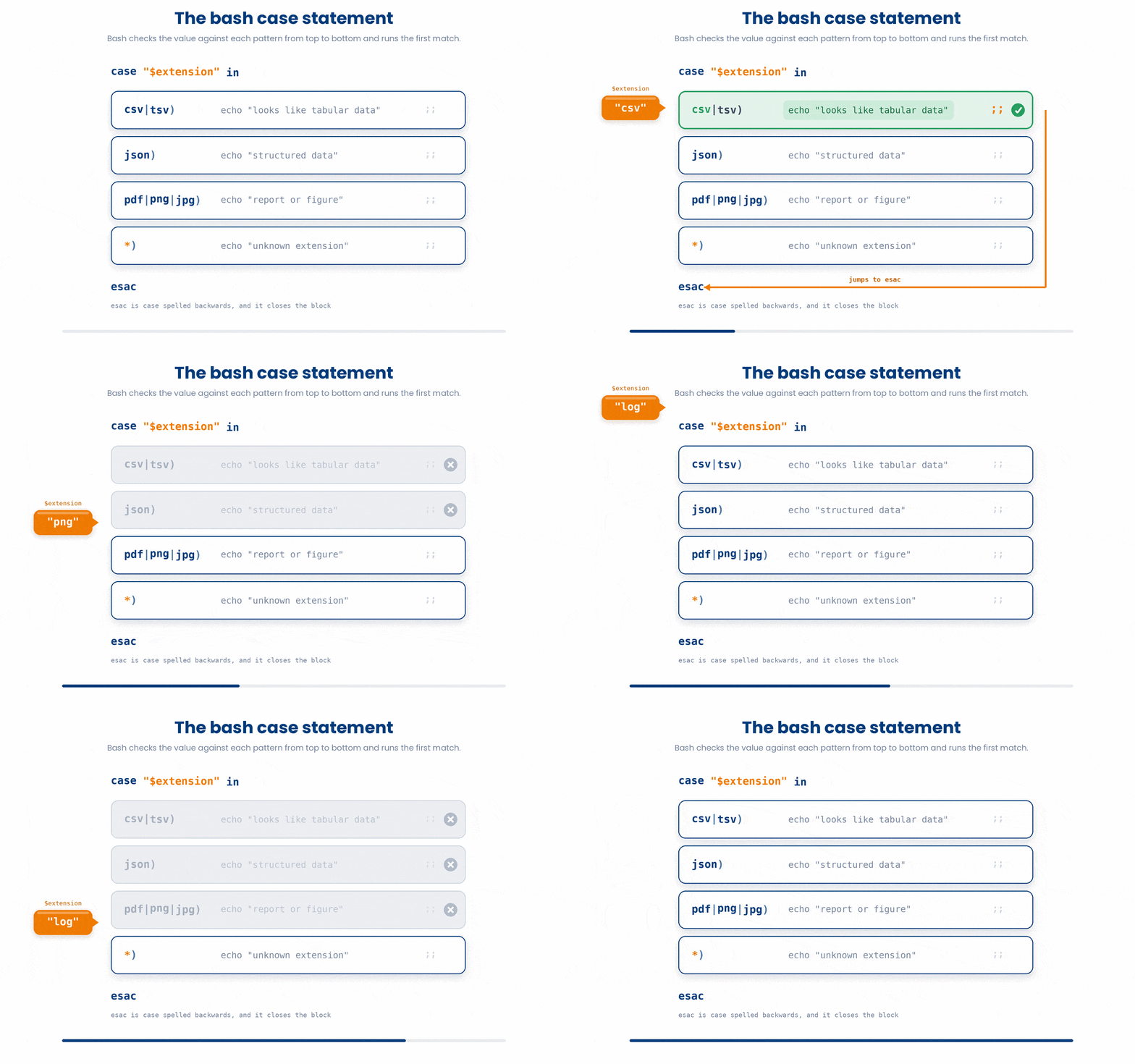
When you need your script to check a single variable against a long list of possible values, writing a massive chain of if and elif statements gets messy fast. The case statement is designed specifically for this scenario. It is much easier to read, and it even supports wildcard patterns!
Take a look at how clean this looks when sorting files by their extension:
case "$extension" in
    csv|tsv)
        echo "looks like tabular data"
        ;;
    json)
        echo "structured data"
        ;;
    pdf|png|jpg)
        echo "report or figure"
        ;;
    *)
        echo "unknown extension"
        ;;
esac
This looks strange at first glance, but here’s the exact breakdown
case "$variable" in ... esac : This is the outer wrapper. Fun fact: esac is literally just "case" spelled backwards! It tells bash that the block is finished.
PATTERN) : Each branch starts with the pattern you are looking for, followed by a closing parenthesis ).
The | Operator: You can check for multiple patterns at once by separating them with a pipe | (which means "OR").
;; (Double Semicolon): This is the most common beginner trap! You must end the commands in each branch with a double semicolon to tell bash to stop reading and exit the case block.
*) (The Catchall): The asterisk is a wildcard that matches literally anything. You always put this at the very bottom to act as your else statement—it catches anything that didn't match the options above.
- Try it yourself!
Try this snippet in the Bash Scratchpad on the right.
dx=hypertension
case "$dx" in
    hypertension) echo "code I10" ;;
    diabetes) echo "code E11" ;;
    *) echo "code unknown" ;;
esaccase statements don't have to be massive blocks of text. You can format them on a single line for quick, clean translations.
4 Exit Codes - How Commands Report Success and Failure
By default, bash scripts are like runaway trains: if a command fails, the script doesn't stop. It just plows right into the next command.
If your "load data" step fails, your "calculate BMI" step will run on an empty file, and you might accidentally ship a blank report to your colleagues without ever realizing it. To stop the runaway train, we need to understand exit codes.
Every time a command finishes running, it leaves behind a hidden, invisible integer called an exit code. Think of it as a status report:
- 0 = Perfect Success. The command did exactly what it was supposed to do.
- 1 to 255 = Failure. Something went wrong. The specific number depends on the command, but any number higher than zero means trouble.
- You can see the exit code of the most recent command with $?.
$ ls /etc > /dev/null
$ echo $?
0
$ ls /not_a_real_path > /dev/null 2>&1
$ echo $?
2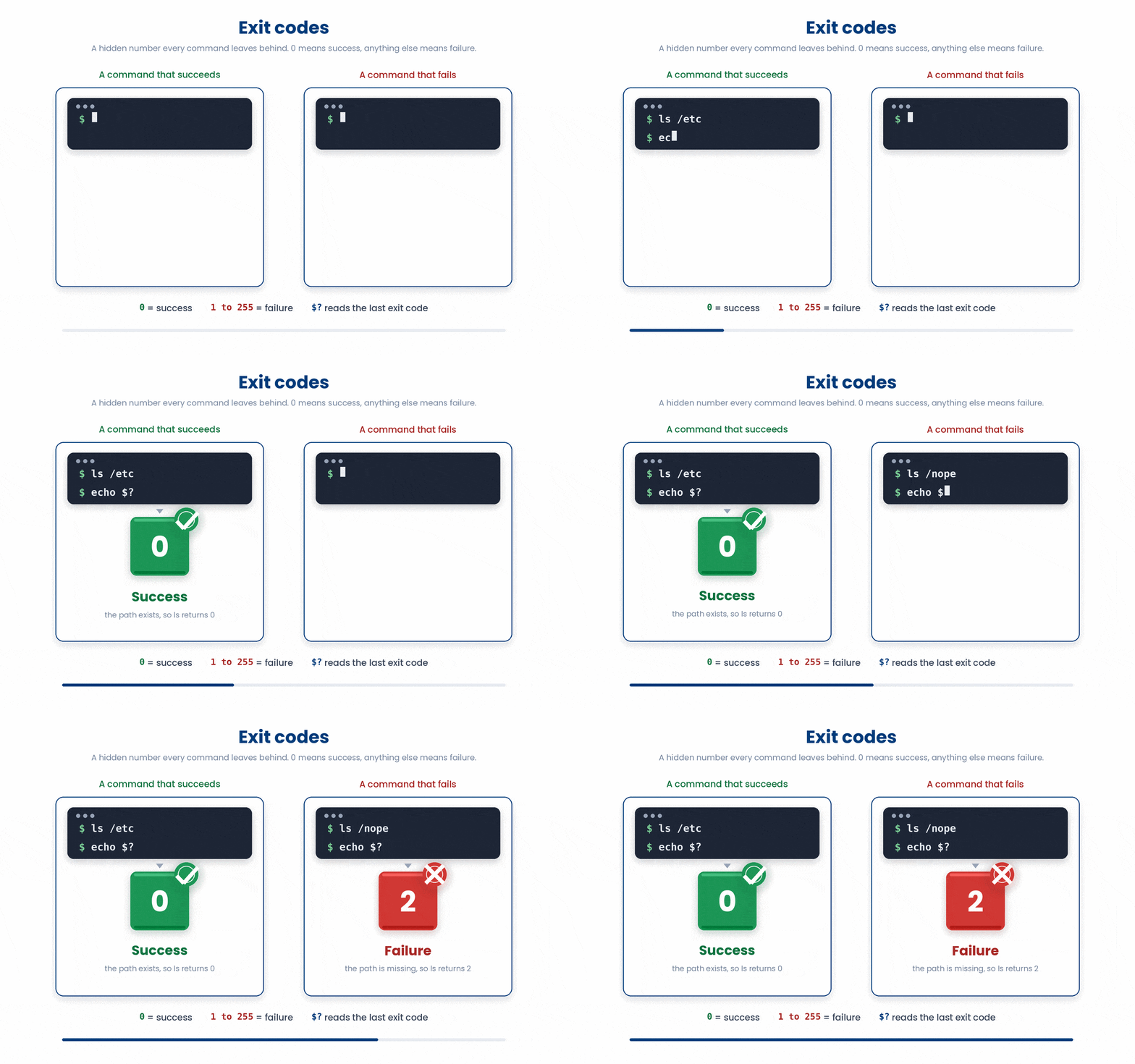
The $? variable is incredibly volatile. It updates after every single command. If you need to remember an exit code to use it later, you must save it to a new variable immediately!
Try this snippet in the Bash Scratchpad on the right.
$ grep -c F cohort_2026.csv > /dev/null
$ echo $?
$ grep -c ZZZ cohort_2026.csv > /dev/null
$ echo $?grep -c hypertension diagnoses.csv > /dev/null
rc=$?
if [[ $rc -ne 0 ]]
then
echo "grep failed with code $rc" >&2
fi4.1 Setting your own exit code with exit
Just like standard commands report back to you, your script needs to report back to the system when it finishes running. You can set your script's exit code using the exit command.
If your script finishes its work perfectly, end it with exit 0. If your script hits a fatal error, you should print an error message and end it with exit 1 to halt the runaway train.
if [[ ! -f cohort_2026.csv ]]
then
    echo "cohort_2026.csv is missing" >&2
    exit 1
fi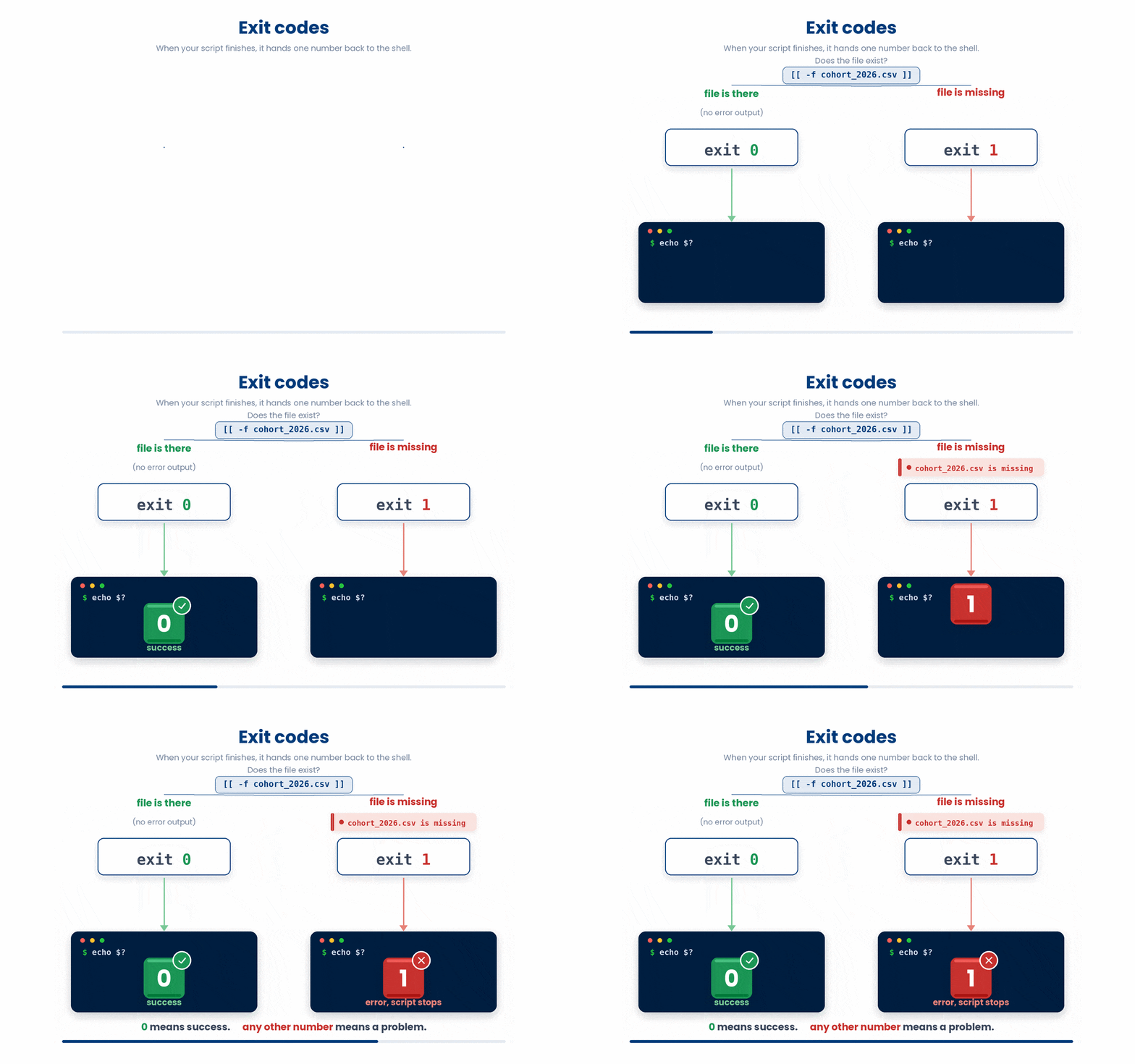
5 && and || - Short-Circuit Operators
Once you understand exit codes, the && and || operators finally make sense. They look at the invisible exit code of the command on their LEFT, and use it to decide whether or not to run the command on their RIGHT.
5.1 && (AND THEN) - run only on success
The command on the right only runs if the left side exits with a 0.
$ mkdir output && cd output
# only cds into output if mkdir succeeded5.2 || (OR ELSE) - run only on FAILURE
The command on the right only runs if the left side exits with a 1-255. It acts as a safety net or fallback.
$ mkdir output 2>/dev/null || echo "could not make output"
# prints message only if mkdir failed
Try this snippet in the Bash Scratchpad on the right.
$ ls cohort_2026.csv && echo "cohort is here"
$ ls cohort_2025.csv || echo "no 2025 cohort"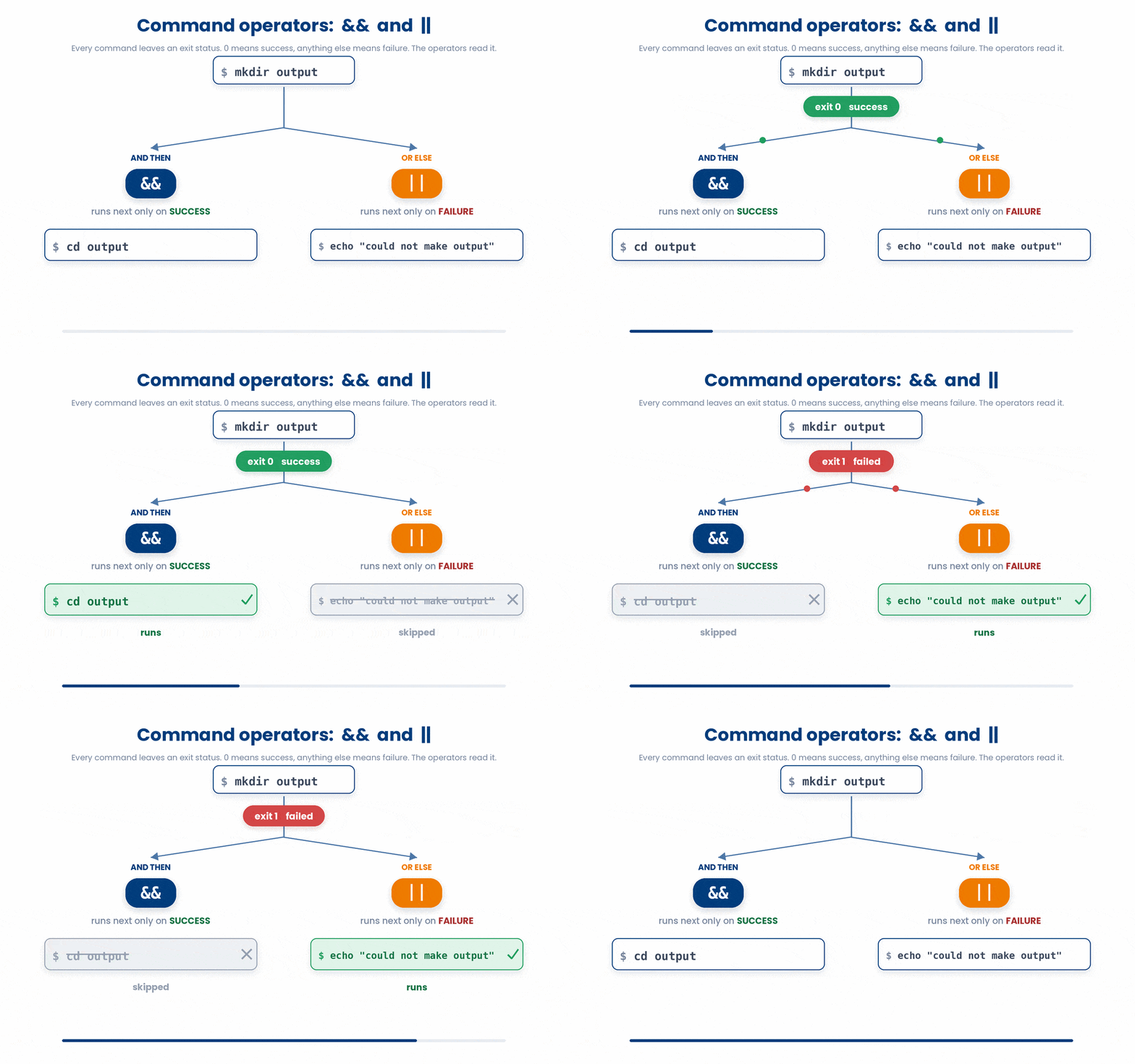
6 Check your understanding
You have reached the end of the module. Try the same questions again — your answers here, paired with your pre-test answers, are how we measure what the module taught you. Answer every question and confidence rating, then click Submit and see results to view your score.
What ends each branch of a case statement?
What does the special variable $? hold?
By convention, what exit code means success?
What does cmd1 && cmd2 do?
Which line is the catchall (default) branch of a case statement?
What does cmd1 || cmd2 do?
Which keyword ends a case statement?
In a case statement, which pattern matches any value ending in .csv?
I can write a case statement instead of a long if/elif chain.
I can read the exit code of the previous command and react to it.
I can use && and || to chain commands based on success or failure.
7 Your results
Here is how your post-test answers compare with your pre-test answers. The pre/post pairing is the most reliable way to see what this module actually taught you.
Submit the post-test to see your results.
What is the one thing from this module that is still unclear to you?